Skip to content

AI Love Tattoo on Chest

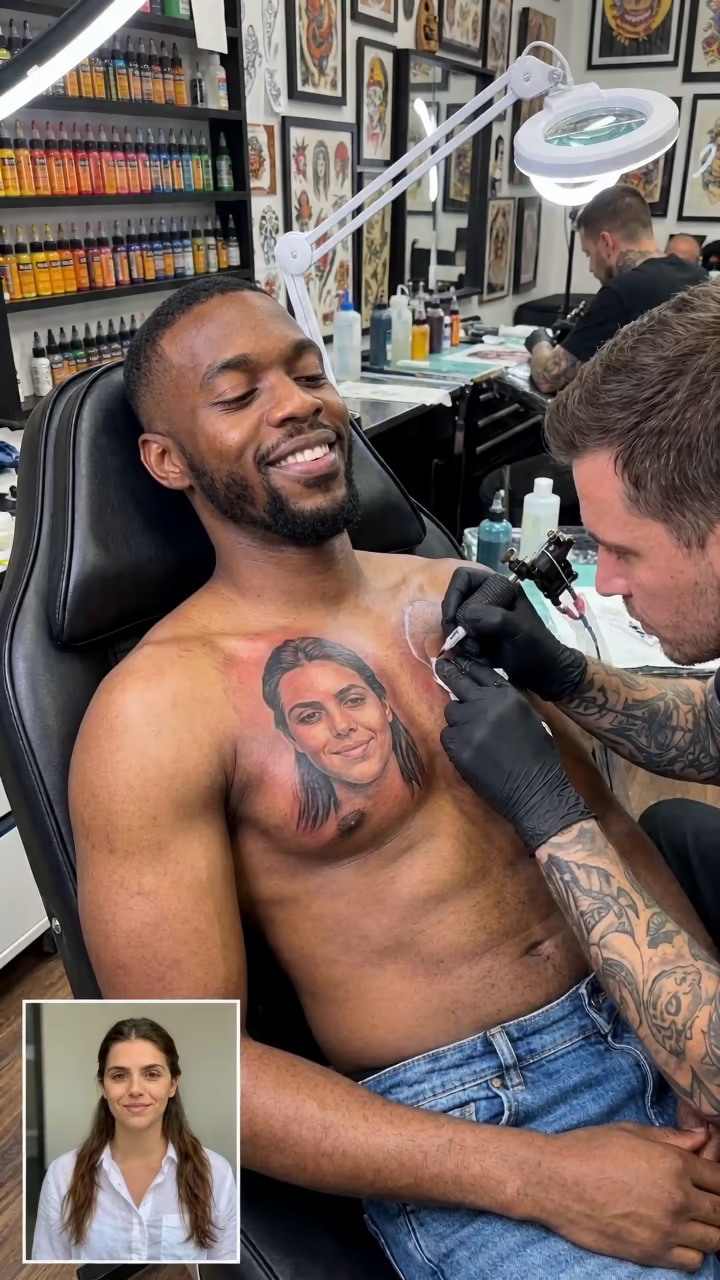
Two photos become a tattoo-studio clip: their portrait inked on your upper chest, and your proud smile.

Love Tattoo · switch effect

Your photo

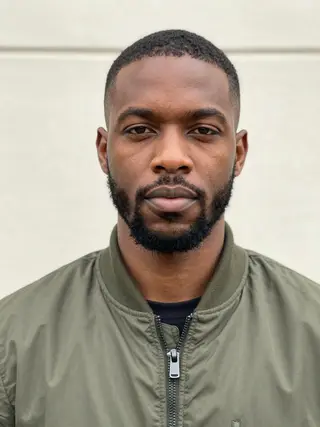
One adult, clear face photo

Person you love

Their face becomes the tattoo; a clear front-facing photo

Cost shown before you run · failed runs are refunded

  • Ready in 1–3 min
  • No watermark
  • Failed runs refunded
  • Uploads never published

How to use the AI Love Tattoo on Chest

  1. 01

    Upload your photos

    Your photo: One adult, clear face photo. Person you love: Their face becomes the tattoo; a clear front-facing photo.

  2. 02

    Press Generate

    The Love Tattoo effect runs on its own tuned settings. It costs 250 credits, shown on the button before you run it.

  3. 03

    Download

    Your video is ready in one to three minutes. Download the MP4 without a watermark.

AI Couple Effects

What is the AI Love Tattoo on Chest?

The AI love tattoo template makes it look like you went all in. You recline in a tattoo studio chair while an artist in black gloves finishes a large, realistic portrait of the person you love on your upper chest, just below the collarbone. A small inset photo of them sits in the corner of the frame, so viewers can compare the tattoo to the real face. In the video the machine buzzes, the artist shades the edge and wipes the skin, you wince a little, then look down at the portrait and break into a proud, emotional smile.

Portrait-tattoo reveal clips spread on TikTok in autumn 2026, mostly as couple pranks: post the video, wait for your partner's reaction, then admit it is AI. The inset photo is part of the format, and so is the slightly over-the-top pride at the end.

Upload two photos: yours, and the face for the tattoo. An image model builds the studio scene with the portrait already inked, then a video model animates the finishing touches. The 6-second clip comes with the buzz of the machine and soft afro-pop in the background. A run takes about two to three minutes, with no watermark. It is meant for adults and for people who agreed to be in it. Examples use AI-generated fictional people.

Tasteful by design

The template places the tattoo on the upper chest, just below the collarbone, with an open shirt pulled aside on one side. It works the same for everyone and stays non-revealing, so the clip is safe to share on any platform.

It is for adults only. Use your own photo, and use the second photo only with that person's permission. Do not use it to embarrass an ex, to suggest a relationship that does not exist, or with photos of minors.

Thinking about a real portrait tattoo?

The clip is a fun preview, not a design. If you are planning a real piece, a tattoo artist will draw it from a high-resolution photo and adjust size and placement to your body. Still, seeing the face on your chest in motion can help you decide whether you like the idea.

For a still tattoo design instead of a video, the AI tattoo generator page creates tattoo artwork on a photo of your skin.

AI Love Tattoo on Chest FAQ

How do I make the AI love tattoo video?

Upload your photo and a photo of the person you love, then press Generate. You get a 6-second tattoo-studio clip in about two to three minutes.

Is it free?

Video templates use paid credits. New accounts get free credits for photo templates only. The exact cost is shown on the Generate button before you confirm.

Where does the tattoo appear?

On the upper chest, just below the collarbone, with an open shirt pulled aside. It is the same tasteful setup for everyone.

Do I need the other person's permission?

Yes. Only use photos of adults who agreed. Never use it to harass, mislead or embarrass anyone.

Does the video have sound?

Yes: the buzz of the tattoo machine and soft background music.

Is there a watermark?

No watermark is added to the video.

What happens to the two photos?

Uploads are stored in Firebase Storage (Google Cloud) under your account so the run can happen and the video appears in Creations. They are not public, and you can email support to request deletion. To run the effect, a copy is sent to our AI model provider (kie.ai); result files are kept for 14 days, so download what you want to keep.

More AI effects

Try the AI Love Tattoo on Chest

Upload two photos and get your video in a couple of minutes.

Upload photos