Skip to content

AI Mentalist Trend

Upload one photo and you take over the black-and-white Mentalist edit: the knowing look across the table, the sly smirk, the dark suit and the final stare, with your face in every shot.

AI Mentalist · switch effect

Your photo

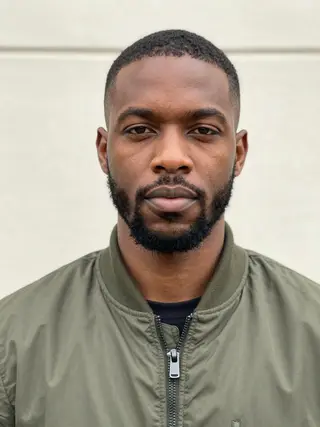
One adult, face sharp and well lit, front-facing, no sunglasses

Cost shown before you run · failed runs are refunded

  • Ready in 1–3 min
  • No watermark
  • Failed runs refunded
  • Uploads never published

This trend on Instagram & TikTok

The most-watched videos of this trend, shown with credit and a link to each original post. Videos belong to their creators; they were not made with Soracai.

  1. 1

    @magritteyogurt2268

    Higgsfield remake

    Higgsfield

    20 views · 30 likes · October 16

    The black-and-white edit, recast

    Watch on Higgsfield ↗
  2. 2

    @radiatingpebble1795

    Higgsfield remake

    Higgsfield

    4 views · 0 likes · October 28

    The black-and-white edit, recast

    Watch on Higgsfield ↗

How to use the AI Mentalist Trend

  1. 01

    Upload a photo

    Your photo: One adult, face sharp and well lit, front-facing, no sunglasses.

  2. 02

    Press Generate

    The AI Mentalist effect runs on its own tuned settings. It costs 250 credits, shown on the button before you run it.

  3. 03

    Download

    Your video is ready in one to three minutes. Download the MP4 without a watermark.

What is the AI Mentalist Trend?

The AI Mentalist trend puts your face on the coolest man in 2010s TV: the consultant-detective from The Mentalist, in a black-and-white fan edit that took over TikTok in autumn 2026. The edit everyone copies is about 12 seconds long: he leans across a table in a striped shirt and waistcoat and says something only he knows, smirks, cuts to a dark suit, leans out of a van door, and ends with a slow stare in a dim hallway. People recast it with AI so that the face in every shot is theirs, and in October 2026 it became a community template on Higgsfield.

This template works the same way. The model gets the black-and-white edit and your photo and redoes it shot for shot: the same cuts, camera moves, gestures and timing, the same clothes, with your face in every shot, including the head turns and the lines he speaks. The edit's own sound goes back on top once the video is ready.

You get a 12-second black-and-white video, ready for TikTok, Reels and Shorts, with no watermark. A run takes 10 to 15 minutes because the model matches the whole edit frame by frame; you can leave the page and find it in Creations. Soracai is not affiliated with the show or its makers, and the result does not keep the actor's likeness: the face is yours. The example videos on this page are credited to their creators on Higgsfield.

How the recast works

Older versions of this template invented a montage from your photo. This one starts from the trend edit itself: the model is given the original black-and-white clip and your photo and asked to redo it with you in the main role. That is why the cuts, the smirk and the stare land exactly where they do in the edit people know, and why the face in every shot is yours.

The model's own audio tends to drift, so once the video is ready we put the edit's original sound back on. The picture is untouched.

About the name

The trend is named after the TV show because the edit uses its best-known scenes. The template replaces the actor's face with yours and does not keep his likeness; no logos are added. Soracai is not affiliated with or endorsed by the show's network or producers, or by Higgsfield.

If you want a single dramatic scene instead, the AI crying template gives you a 6-second emotional film moment.

AI Mentalist Trend FAQ

How do I do the AI Mentalist trend?

Upload one clear face photo and press Generate. You get a 12-second black-and-white edit with your face in every shot, in about 10 to 15 minutes.

Is it free?

Video templates use paid credits. New accounts get free credits for photo templates only. The exact cost is shown on the Generate button before you confirm.

Does it use the actor's face?

No. The model replaces his face with yours in every shot. Only the scenes, clothes and camera moves come from the edit.

Does the video have sound?

Yes, the trend edit's original sound plays under it.

Can I make one of a friend?

Yes, if they agreed. Do not use it to impersonate or embarrass anyone.

Is there a watermark?

No watermark is added to the video.

Are my uploads private?

Uploads are stored in Firebase Storage (Google Cloud) under your account so the run can happen and the video appears in Creations. They are not public, and you can email support to request deletion. To run the effect, a copy is sent to our AI model provider (kie.ai); result files are kept for 14 days, so download what you want to keep.

More AI effects

Try the AI Mentalist Trend

Upload a photo and get your video in a couple of minutes.

Upload photo