
What is the AI Pregnant Filter?
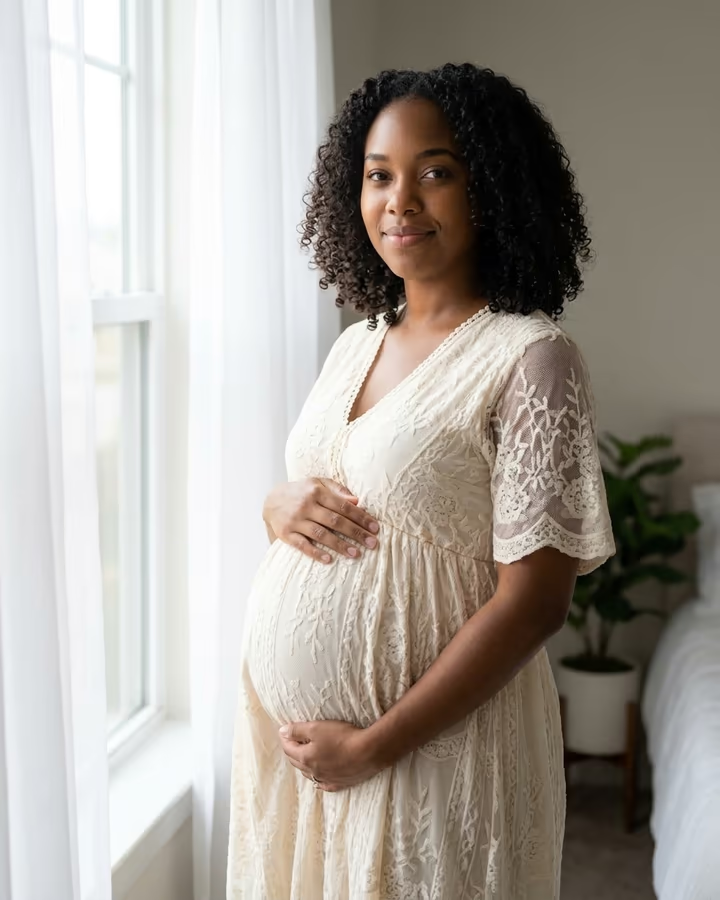
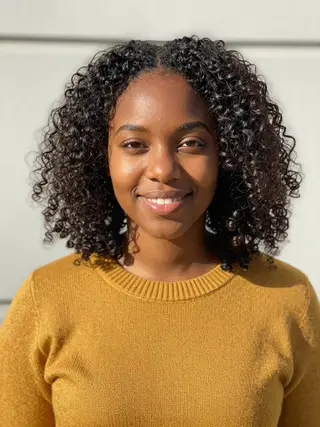
The AI Pregnant Filter shows you in a maternity photoshoot before you ever book one. Upload a photo of yourself and the image model keeps your face, identity and skin tone, then places you by a bright window with sheer curtains, in a flowing cream maternity dress, both hands resting on a bump that looks about seven months along. The style follows the soft, airy maternity portraits photographers have made popular over the last decade.
Pregnancy filters started as face-tracking camera effects on Snapchat and TikTok that stretched a cartoon belly onto your body. They were fun, but they looked fake the moment you moved. Image-editing models changed that in 2025: tools like Nano Banana can rebuild the body, clothing and light together, so the bump sits naturally under the fabric and the shadows match. People now use these images to imagine future milestones, to plan a real shoot, or simply for a laugh with friends.
The filter is meant for adults using their own photo, or a photo of someone who has clearly agreed. Please don't use it to suggest that a real person is pregnant when they are not; a generated image can easily be mistaken for news.
How the pregnancy filter works
This is a single image edit with Nano Banana 2. Your photo goes in with a prompt that asks for the same woman, about seven months pregnant, in a cream maternity dress with both hands on the bump, standing by a bright window. The prompt also tells the model to keep your face, identity and skin tone exactly as they are and to keep the proportions realistic.
The output is a 4:5 portrait at 1K resolution, ready for Instagram, and it usually takes 20 to 40 seconds. It downloads without a watermark. If you add details in the text box, those are added to the prompt, so you can move the shoot outdoors, change the dress color or ask for a different pose.
Consent and honest use
A pregnancy is personal news. Only upload your own photo, or a photo of an adult who has said yes to this exact use. Don't post generated maternity images of friends, coworkers, ex-partners or public figures, and don't present a result as a real announcement unless it is one.
If you share the image publicly, a caption that says it was made with AI avoids confusion. Uploads are stored in Firebase Storage (Google Cloud) under your account so the run can happen and the result appears in your Creations. They are not public, and you can email support to have them deleted. To run the effect, a copy is sent to our AI model provider (kie.ai); result files are kept for 14 days, so download what you want to keep.