
What is the AI Family Photo?
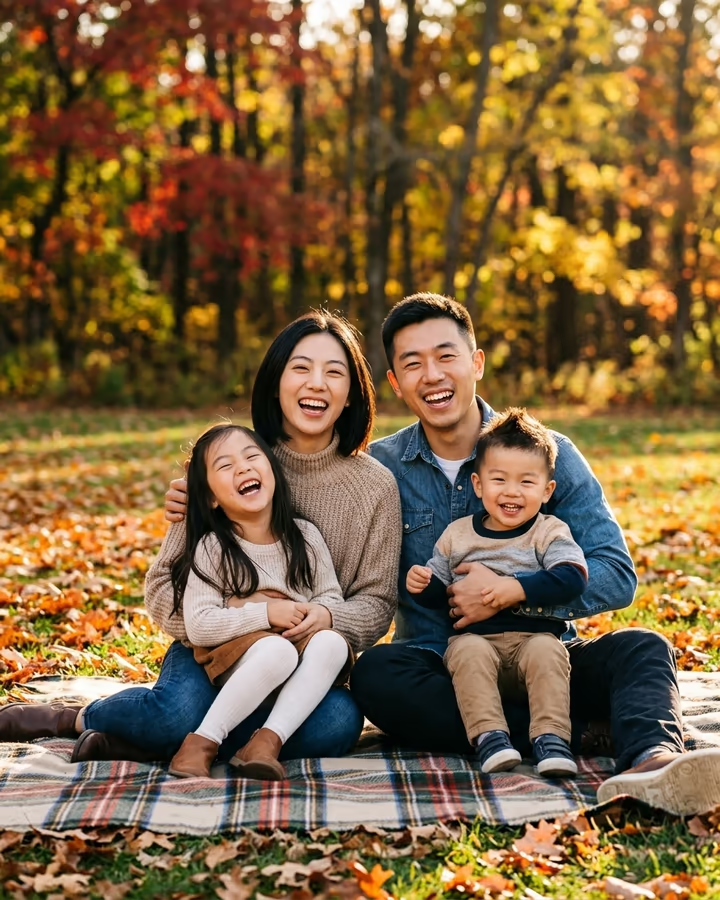
AI Family Photo turns two adult photos into the kind of portrait families hang above the sofa. You upload a photo of yourself and one of your partner. The image model keeps both of your faces, hairstyles and skin tones, then adds two imagined children, a girl of about six and a boy of about three, whose faces mix features from both of you. Everyone sits on a picnic blanket in an autumn park, laughing in golden light, the kids on your laps.
This template replaces the old "asking ChatGPT to generate us a family" trend page on Soracai. That trend took off on TikTok in 2025 after multi-image AI tools made it easy to drop two partners into one scene. Couples filmed their reactions as the results loaded, and the comments filled with people guessing whose nose the kids got. The question behind it is the same one the baby generator answers, only with the whole family in frame.
Treat the children as an imaginative blend, not a forecast. Real kids don't inherit features the way an image model guesses, and each run creates a new pair. Many couples run it a few times and keep their favorite. You can also change the setting, outfits or the children's ages with the optional details box.
What the template does
Both photos go to Nano Banana 2 together. The prompt asks for a professional-looking family portrait in an autumn park, keeps the two adults exactly as they appear, and adds a girl of about six and a boy of about three whose faces are a believable mix of both parents. Golden light and a picnic blanket give the image a calm, candid feel instead of a stiff studio pose.
You get a 4:5 portrait at 1K resolution, usually in 20 to 40 seconds. The file has no watermark. Any extra details you type, such as "beach at sunset" or "matching denim shirts", are added to the prompt, so you can make a summer version or a holiday-card version from the same two photos.
Choosing photos that blend well
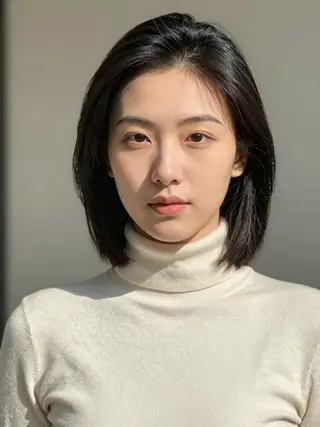
The model mixes what it sees, so give it fair inputs. Two photos at a similar distance, both front-facing and evenly lit, produce kids who look like both of you. A sharp selfie next to a blurry group shot usually tilts the children toward the sharper face.
Avoid strong beauty filters and heavy edits, which smooth away the features the model is trying to combine. Neutral expressions or soft smiles help, since big laughs can hide eye shape. If the family looks off, the fastest fix is a better photo, not a longer prompt. And please only use photos of adults who agreed to take part.