
AI Ghostface, Action Figure & 3 More Viral Effects You Can Try on Soracai Right Now (June 2026 Product Spotlight)
From viral Ghostface photos to dancing pets, here's an honest look at the 5 AI effects actually worth your time (and coins) on Soracai right now.
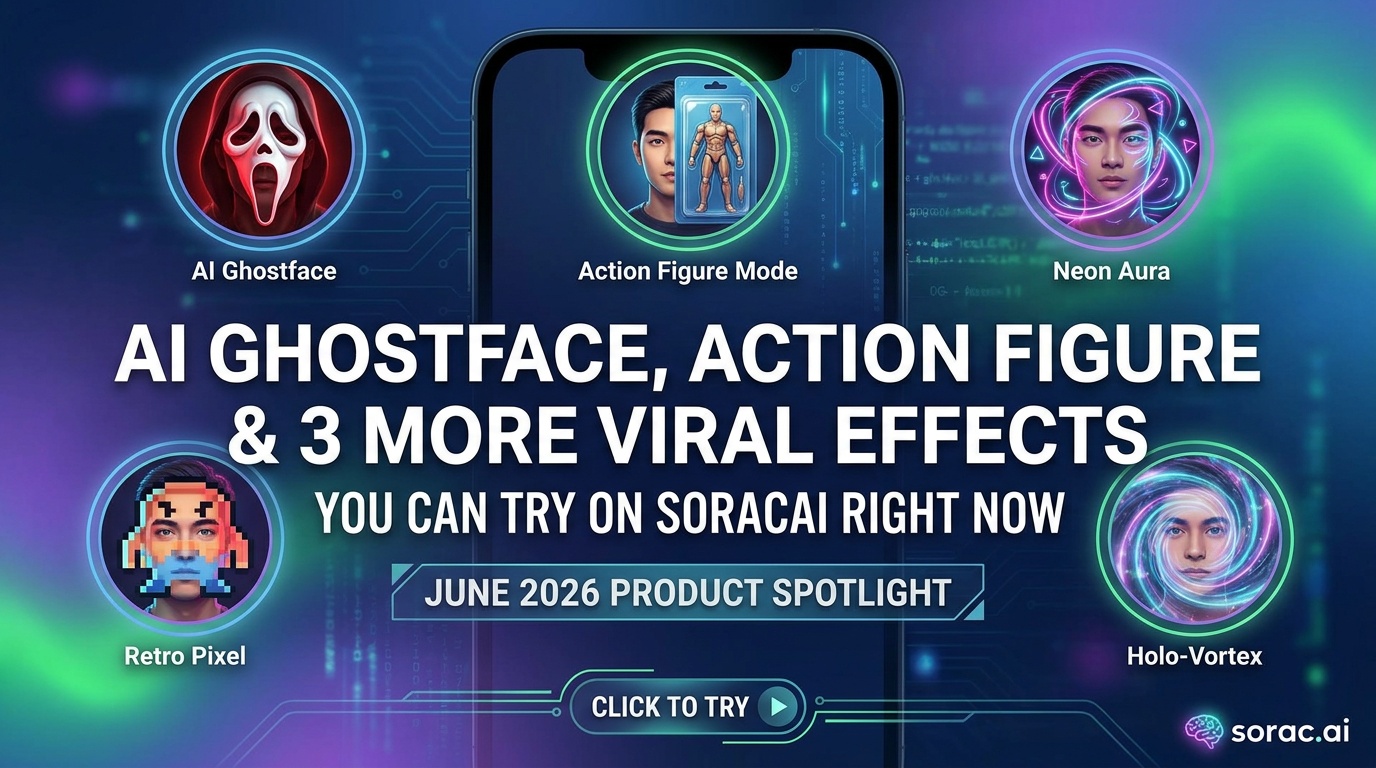
AI Ghostface, Action Figure & 3 More Viral Effects You Can Try on Soracai Right Now (June 2026 Product Spotlight)
Look, I've tested a lot of AI tools in the past month. Most of them? Overhyped garbage that produces the same generic results everyone else is posting. But every once in a while, you stumble onto something that actually makes you go "wait, I need to try this on literally everyone I know."
That's exactly what happened when I dove into Soracai's trending effects page last week. While everyone's still talking about TikTok's new Symphony Agent (which, sure, is cool if you're a marketer with a budget), the real viral gold is hiding in plain sight on platforms that let you create meme-worthy content without needing an ad agency.
So let's break down the five trending AI effects on Soracai that are absolutely blowing up right now, what makes them actually good, and—most importantly—how to use them without looking like every other person jumping on the trend three weeks too late.
1. AI Ghostface Effect: The Slasher Filter Everyone's Obsessing Over
What It Does
The AI Ghostface effect adds the iconic Scream killer to your photos in a way that's genuinely unsettling. Not "cheap Halloween costume" unsettling—I mean "why is this so realistic I'm slightly uncomfortable" unsettling.
Upload any photo, and the AI seamlessly integrates Ghostface into the scene. It's not just slapping a PNG overlay on top. The lighting matches, the shadows work, the positioning feels intentional. Like Ghostface was actually there when you took that selfie at brunch.
Why It's Actually Working
Timing. We're in that sweet spot between horror movie releases where people are nostalgic for classic slashers but not oversaturated. Plus, the "what's behind you" format is evergreen on TikTok and Instagram Reels.
I tested this with a random beach photo, and the AI placed Ghostface partially hidden behind a beach umbrella in the background. The detail was insane—the mask caught the same golden-hour lighting as the rest of the scene. That's the kind of thing that makes people do a double-take and hit share.
Pro Tips
2. AI Homeless Man Effect: Controversial, Hilarious, Definitely Going Viral
The Honest Take
Okay, so the AI Homeless Man effect is... let's say it's not for everyone. It transforms your photo into a completely different scenario that's played for shock value and humor. Is it in good taste? That's between you and your conscience. Is it going viral on TikTok? Absolutely.
The AI doesn't just change your appearance—it reconstructs the entire scene with impressive detail. We're talking weathered textures, environmental context, the works. From a pure technical standpoint, it's showing off what modern AI can do with image-to-image transformation.
Use Cases (If You Dare)
Just... maybe think twice before using your boss's headshot. Trust me on that one.
3. Action Figure Creator: Turn Anyone Into Collectible Plastic
This One's Actually Wholesome
The Action Figure effect is probably my favorite from a pure "wow, that's clever" perspective. It transforms photos into realistic action figure packaging, complete with plastic clamshell, cardboard backing, and those little twist-ties that are impossible to remove.
The attention to detail is what sells it. The AI adds subtle plastic texture, creates appropriate accessories based on what's in the original photo, and even generates fake product descriptions and logos. I turned a photo of my friend holding a coffee cup into an "Exhausted Office Worker" action figure with "Caffeine Grip Technology" listed as a feature. Chef's kiss.
Real-World Applications
Getting the Best Results
Use photos with clear subjects against relatively simple backgrounds. The AI needs to understand what the "toy" should be. Action shots work great—mid-jump, mid-throw, anything dynamic translates well to action figure poses.
For professional-looking results, try generating your base image with Nano Banana 2 Pro mode first. The enhanced quality (yeah, it costs 4 coins instead of 1, but the detail is worth it) gives the action figure effect more to work with. Better color accuracy and detail in the source = more convincing toy packaging in the output.
4. Add Girlfriend/Boyfriend: The Lonely Hearts AI Special
Peak Internet Energy
The Add Girlfriend and Add Boyfriend effects are exactly what they sound like, and they're being used in ways that range from "aww, cute fantasy" to "this is definitely a cry for help."
Upload a solo photo, and the AI generates a partner holding your hand, hugging you, or posing alongside you. The results vary from surprisingly convincing to obviously AI-generated, which honestly just adds to the meme potential.
The Meta Is Evolving
What started as straightforward "haha I'm so single" content has evolved into:
One creator I follow generated an entire "relationship" arc with different AI partners, complete with meet-cute, vacation photos, and a dramatic breakup announcement. The commitment to the bit was outstanding.
Technical Notes
The AI does better with photos where you're clearly leaving space for another person—standing to one side, arm positioned for holding hands, etc. If you're centered in a tight crop, the results get weird (though sometimes weird is the goal).
5. The Dark Horse: AI Dance Videos
Okay, this isn't technically on the "trends" page, but if you're sleeping on Soracai's AI Dance feature, you're missing out on probably the most consistently viral-worthy tool in the whole platform.
Powered by Kling 2.6 motion control (the same tech ByteDance is now using for TikTok's Seedance 2.0 in their Symphony Agent ads), it copies dance moves from reference videos onto any photo you upload. And I mean any photo.
Why This Deserves Its Own Section
Because the use cases are endless:
The process takes 2-5 minutes, and you've got 23+ dance styles to choose from: Chanel, Dance Baby, Shake It To Max, Jennie, Milkshake, Robot, plus standard genres like ballet, waltz, tango, and more.
The Secret Sauce
While everyone's experimenting with newer tools (shoutout to Technion's Time-to-Move mouse-controlled motion system, which sounds incredible but isn't publicly available yet), Kling 2.6 is right now producing results that are good enough to go viral. Not "good for AI" good—actually good.
The motion tracking is smooth, the physics mostly make sense, and occasional uncanny valley moments just add to the charm. Plus, at 8 coins per video, you can afford to experiment until you nail it.
The Bigger Picture: Why These Effects Matter
It's Not Just About Going Viral
Here's what I've noticed testing these tools over the past few weeks: the barrier between "professional content creator" and "person with a phone" is basically gone.
Netflix is out here building Vera and VOID for professional video editing with AI. Runway just dropped Aleph 2.0 integration with Figma Weave for frame-level control on 30-second, 1080p clips. OpenArt launched Director for creating entire 5-minute AI films.
But you know what? Most people don't need that. Most people just want to make their dog dance or put Ghostface in their vacation photos. And that's exactly the gap Soracai's trending effects fill.
The Coin System Actually Makes Sense
No subscription. No "credits reset monthly whether you use them or not." Just pay for what you use:
For casual users who want to jump on a trend or two, this is perfect. For power users creating content regularly, it's still cheaper than most subscription platforms.
How to Actually Use These (Without Looking Desperate)
Timing Is Everything
Don't post an AI Ghostface photo in July when everyone's moved on. Use the trends page to see what's current, but also check TikTok and Instagram to gauge saturation.
Sweet spot: early enough that it's still fresh, late enough that the format is established and people know what they're looking at.
Quality Over Quantity
One really good AI-generated video beats ten mediocre ones. Take the time to:
Mix It Up
If all you post is AI effects, you become "that AI person" (not a compliment). Use these as seasoning, not the whole meal. One banger AI dance video mixed into your regular content performs way better than a feed full of them.
The Verdict
Are these effects going to change your life? Probably not. Are they a fun way to create shareable content without needing a film degree or expensive software? Absolutely.
The AI Ghostface effect is perfect for horror fans and anyone who loves a good scare. The Action Figure creator is surprisingly versatile for both humor and actual creative projects. AI Dance remains the king of "I can't believe this exists and also I need to make seventeen of them right now."
And look, in a world where TikTok is rolling out enterprise-level AI ad tools and Netflix is building systems that can erase objects from video like they never existed, it's nice to have accessible tools that just let you make weird, fun stuff.
Try them out. Make something stupid. Share it with your friends. That's literally the entire point of the internet anyway.
Check out all the trending effects at soracai.com/trends and report back with your most unhinged creation. I'll be over here making my cat do the robot dance for the fifteenth time.
Related Articles
AI Homeless Man Effect Explained: Why This TikTok Transformation Just Hit 50M Views & How to Create Your Own in 3 Minutes
9 min read
7 AI Photo Trends Breaking TikTok in June 2026: From 'Toyification' to Baby Portrait Prompts That Hit 10M+ Views
9 min read
This Week in AI Dance: Seedance 2.0 Gets 'Audio-Video Unifier' Crown, YouTube's New Labels Hit Motion Control Creators & Why Cardinals' AI Fail Still Matters (May 26–28, 2026)
8 min read