
AI Ghostface Effect Tutorial: 3 Ways to Animate Static Photos into Moving Scream Videos (Kling 2.6 vs Seedance 2.0 Comparison)
Learn 3 proven methods to animate static Ghostface AI photos into moving horror videos. Compare Kling 2.6 vs Seedance 2.0 with step-by-step tutorials for viral TikTok content.
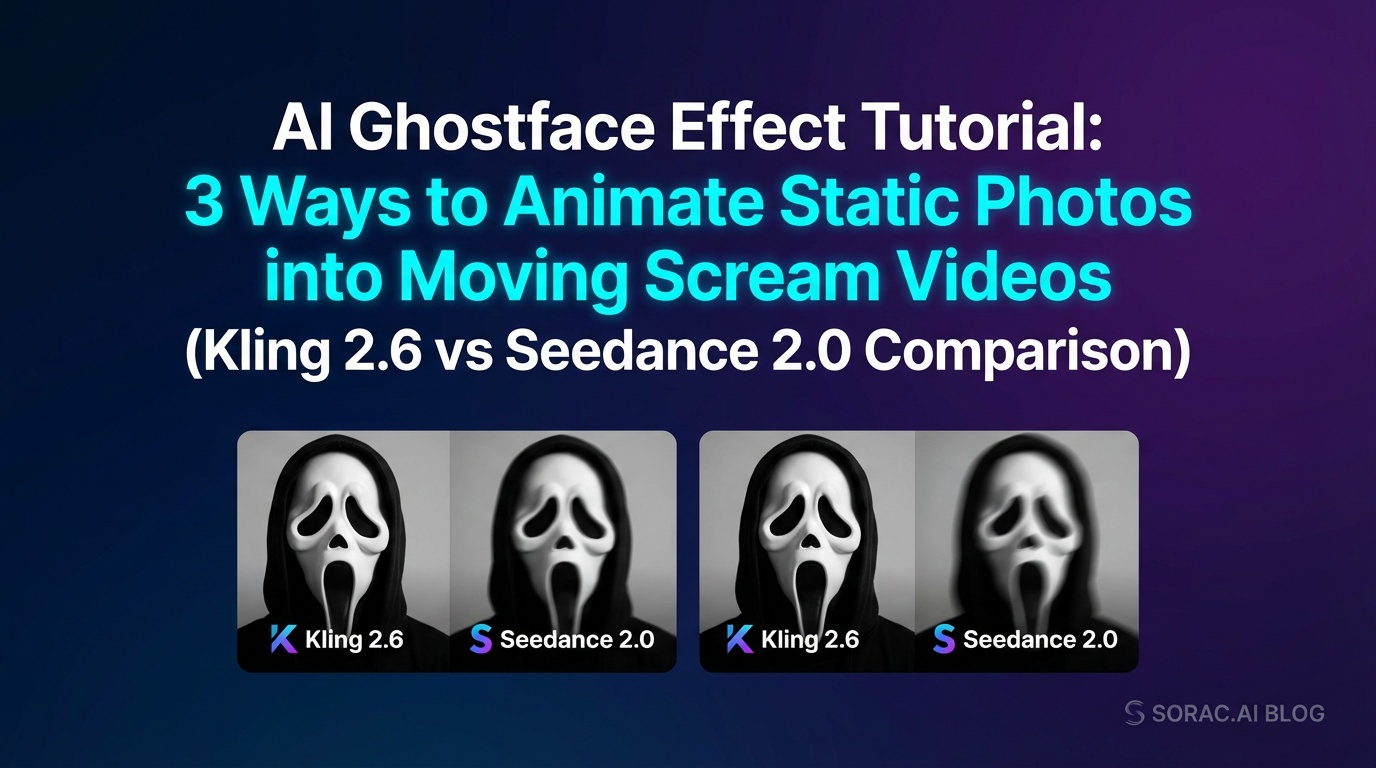
AI Ghostface Effect Tutorial: 3 Ways to Animate Static Photos into Moving Scream Videos (Kling 2.6 vs Seedance 2.0 Comparison)
The AI Ghostface effect has taken TikTok and Instagram by storm. What started as static horror selfies has evolved into something even creepier—animated videos where the Ghostface killer lurks, moves, and creates genuine suspense. If you've been creating static Ghostface photos but want to level up to moving videos, this tutorial shows you exactly how.
What is the AI Ghostface Video Trend?
The original Ghostface AI trend used tools like Google's Gemini and CyberLink's MyEdit to add the iconic Scream killer to your photos. But static images can only be so scary. The latest evolution animates these photos into short video clips where Ghostface actually moves—peeking around corners, tilting his head, or lurking in the shadows.
This creates way more suspense and engagement on social media. A moving Ghostface is infinitely creepier than a static one, and the algorithm loves video content.
Method 1: Soracai AI Dance with Kling 2.6 Motion Control
The easiest way to animate your Ghostface photos is using Soracai's AI Dance feature, powered by Kling 2.6 motion control technology. While it's designed for dance videos, the motion transfer works brilliantly for horror effects.
How It Works
Why This Method Works
Kling 2.6's skeletal tracking technology doesn't just copy dance moves—it understands body positioning and physics. This means your Ghostface animation looks realistic rather than distorted. The upgraded motion control in Kling 2.6 includes better reference tracking and smoother transitions, making even subtle horror movements look professional.
Pro Tip: Use portrait aspect ratio (9:16) for TikTok and Instagram Reels. The vertical format makes Ghostface feel more imposing and immersive.
Method 2: Seedance 2.0 Multi-Reference System
Seedance 2.0 is ByteDance's specialized image-to-video tool that excels at horror content. It offers a unique 12-reference system that lets you create consistent Ghostface movements across longer clips.
Step-by-Step Process
Seedance 2.0 Advantages
The Downside
Seedance 2.0 costs significantly more than other options and has a steeper learning curve. For quick, single-shot animations, it might be overkill.
Method 3: Soracai Sora 2 Video Generation
For complete creative control, you can generate Ghostface videos from scratch using Soracai's AI Video Generator powered by Sora 2.
How to Create Ghostface Videos with Text Prompts
Best Use Cases
This method works best when you want:
Prompt Tips: Mention "slow motion," "cinematic," and "dramatic lighting" for better horror atmosphere. Sora 2 understands filmmaking terminology and will create more suspenseful results.
Kling 2.6 vs Seedance 2.0: Which is Better?
Kling 2.6 (via Soracai AI Dance)
Pros:
Cons:
Seedance 2.0
Pros:
Cons:
The Verdict
For most creators, Soracai's AI Dance with Kling 2.6 motion control offers the best balance of quality, speed, and affordability. You can create professional-looking Ghostface animations in minutes without technical expertise.
Seedance 2.0 is worth considering if you're creating elaborate horror content for YouTube or need multi-shot sequences with audio sync.
Tips for Viral Ghostface Videos
Start with Quality Images
Whether you're using motion transfer or text-to-video, your base image matters. Use Nano Banana PRO mode on Soracai for enhanced detail and color accuracy. The 4-coin upgrade creates sharper, more realistic Ghostface images that animate better.
Choose the Right Aspect Ratio
Soracai offers 11 aspect ratios. For Ghostface content:
Add Subtle Movement
The scariest Ghostface videos use minimal, unsettling movement rather than dramatic action. A slow head tilt or gradual approach is creepier than jumping around.
Use Trending Audio
Pair your animated Ghostface with trending horror sounds on TikTok. The combination of viral audio and visual effects maximizes reach.
Try the Ghostface Effect on Soracai
Ready to create your own animated Ghostface videos? Visit soracai.com/trends/ghostface to access the viral Ghostface effect, or explore other trending AI transformations like the AI Homeless Man effect and Action Figure Creator.
With Soracai's coin-based system, you only pay for what you create—no subscriptions required. Standard generations cost just 1 coin, Nano Banana PRO is 4 coins, and dance videos are 8 coins.
The Ghostface AI trend isn't slowing down, and animated videos are the next evolution. Whether you choose Kling 2.6 motion control through Soracai or experiment with Seedance 2.0, you now have the tools to create genuinely creepy content that stands out.
Start animating your Ghostface photos today at soracai.com/ai-dance and watch your engagement soar.
Related Articles
AI Homeless Man Effect Explained: Why This TikTok Transformation Just Hit 50M Views & How to Create Your Own in 3 Minutes
9 min read
7 AI Photo Trends Breaking TikTok in June 2026: From 'Toyification' to Baby Portrait Prompts That Hit 10M+ Views
9 min read
This Week in AI Dance: Seedance 2.0 Gets 'Audio-Video Unifier' Crown, YouTube's New Labels Hit Motion Control Creators & Why Cardinals' AI Fail Still Matters (May 26–28, 2026)
8 min read