
How to Write AI Image Prompts That Actually Work in 2026: 10 Social-Ready Examples from Nano Banana 2 Pro's Prompt Library (Plus the 3-Part Formula Krea 2's Technical Report Just Validated)
Stop getting garbage AI images. This 3-part formula (validated by Krea 2's technical report) + 10 steal-worthy examples will fix your prompts in 10 minutes.
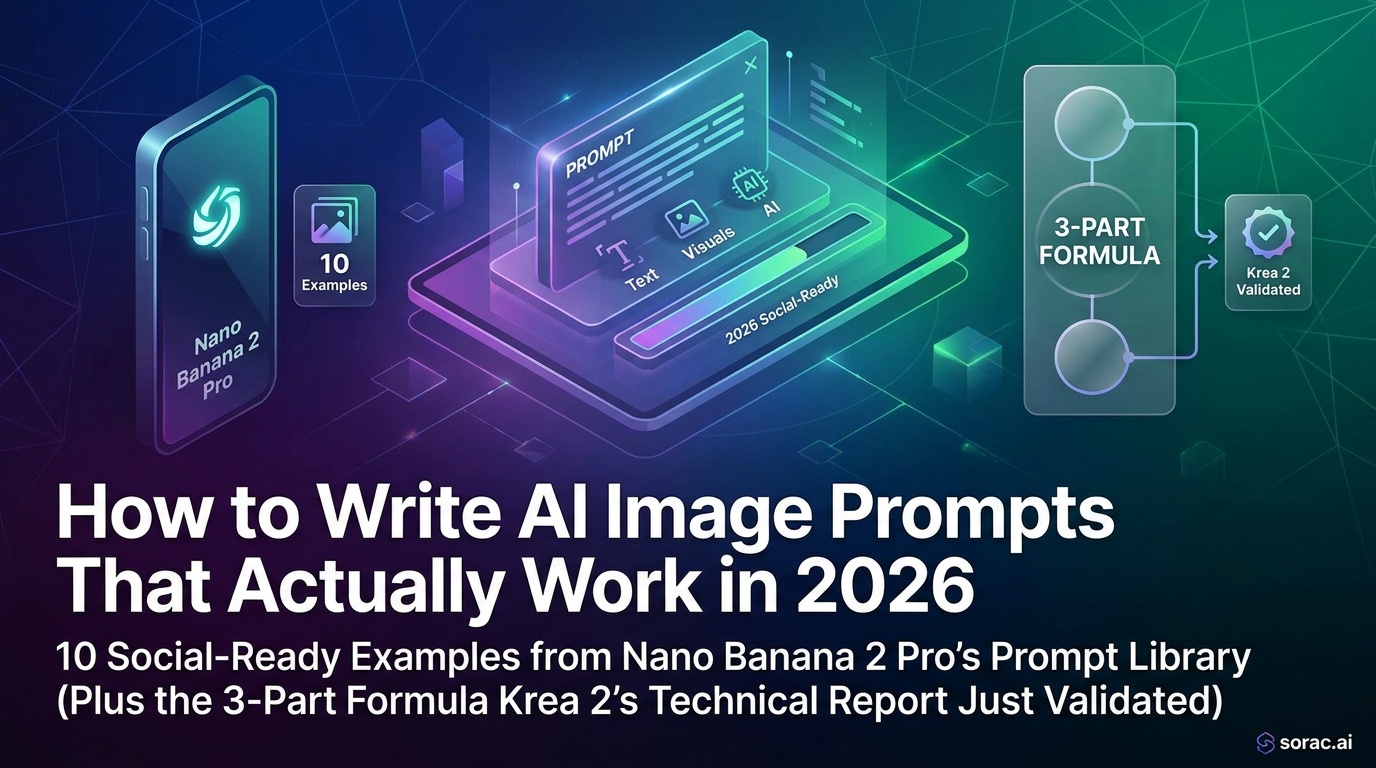
How to Write AI Image Prompts That Actually Work in 2026: 10 Social-Ready Examples from Nano Banana 2 Pro's Prompt Library (Plus the 3-Part Formula Krea 2's Technical Report Just Validated)
You've stared at that blank prompt box for five minutes. You type "beautiful sunset" and get... a generic stock photo that looks like it was rejected from a 2010 screensaver collection. Sound familiar?
Here's the truth: most people are terrible at writing AI image prompts. Not because they're not creative, but because they're talking to AI like it's human. It's not. And the gap between what you imagine and what you type is costing you hours of frustrated regeneration.
The good news? Krea 2's technical report (published June 23, 2026) just validated what the best prompt engineers have known for months: there's a specific three-part formula that makes AI image generators—including Nano Banana 2 Pro—consistently produce social-ready images. And I'm going to break it down with 10 real examples you can steal today.
What You Need Before We Start
Pro tip: If you're serious about quality, use Nano Banana 2 PRO mode (4 coins vs 1 coin). The detail and color accuracy difference is night and day, especially for anything you plan to post on Instagram or TikTok.
Step 1: Understand the Three-Part Prompt Formula
Krea 2's technical report revealed they use a "prompt-expander" that enriches short social prompts by breaking them into three components. After analyzing their approach and testing it across hundreds of generations, here's the formula:
Part 1: The Subject (WHO/WHAT)
Be stupidly specific. Not "a woman," but "a 25-year-old woman with curly auburn hair in a navy blue blazer."
Part 2: The Context (WHERE/WHEN/HOW)
Environment, lighting, mood, action. "Standing in a minimalist white studio, golden hour backlight, confident pose, slight smile."
Part 3: The Style (ARTISTIC DIRECTION)
This is where magic happens. "Shot on Canon EOS R5, f/1.4, shallow depth of field, professional headshot, warm color grading, Vogue editorial style."
Why this works: Krea 2's report showed that their model uses Qwen3-VL text encoding with multi-stage training. Translation? Modern AI image models are trained on millions of images with descriptive captions, not vague concepts. The more you sound like a professional photographer's shot list, the better your output.
Step 2: Choose Your Aspect Ratio (This Matters More Than You Think)
Nano Banana 2 Pro offers 11 aspect ratios, and picking the wrong one kills even great prompts. Here's the cheat sheet:
I see people generate gorgeous 16:9 landscapes then crop them vertically for Reels. You just lost 60% of your image quality. Pick the ratio first, then write your prompt around it.
Step 3: Study These 10 Social-Ready Prompt Examples
These are adapted from soracai.com's prompts library—over 1,000 curated examples you can browse by category. I've picked winners across different use cases:
Example 1: Instagram Portrait (9:16)
A confident female entrepreneur, 30s, wearing a cream turtleneck and gold jewelry, sitting in a modern minimalist office with floor-to-ceiling windows, natural daylight streaming in, shallow depth of field, shot on Sony A7IV 85mm f/1.4, warm color palette, professional lifestyle photography, soft shadows
Example 2: YouTube Thumbnail (16:9)
Dramatic close-up of a shocked man's face, eyes wide, mouth open, hands on cheeks, vibrant purple and orange studio lighting, dark background, high contrast, sharp focus, cinematic lighting, thumbnail-optimized composition, bold colors, shot on RED camera
Example 3: Product Shot (4:5)
Minimalist skincare bottle on white marble surface, surrounded by fresh eucalyptus leaves, soft diffused natural light from left, subtle shadows, clean aesthetic, product photography, macro lens, f/2.8, pastel color grading, Instagram-ready, commercial quality
Example 4: Fantasy Character (1:1)
Ethereal elf warrior with silver braided hair, intricate armor with glowing blue runes, standing in misty enchanted forest, volumetric lighting through trees, magical atmosphere, digital art, highly detailed, fantasy concept art style, trending on ArtStation, dramatic lighting, cinematic composition
Example 5: Food Photography (4:5)
Overhead shot of artisan breakfast bowl with acai, fresh berries, granola, and edible flowers, on rustic wooden table, morning sunlight, vibrant colors, food styling, shallow depth of field, Instagram food photography, bright and airy, Canon 5D Mark IV, 50mm f/1.8
Example 6: Architecture (16:9)
Modern sustainable house with floor-to-ceiling glass walls, surrounded by pine forest, golden hour sunset, warm interior lights visible, architectural photography, symmetrical composition, professional real estate photo, shot on Phase One XF, ultra-sharp, HDR, cinematic sky
Example 7: Pet Portrait (4:5)
Adorable golden retriever puppy with expressive eyes, wearing red bandana, sitting in flower field, shallow depth of field, natural afternoon light, professional pet photography, warm color tones, Canon 70-200mm f/2.8, bokeh background, heartwarming mood
Pro tip: That pet portrait prompt? Upload it to soracai.com/ai-dance after generation and make it dance. Baby photos + Robot dance template = instant TikTok gold. Trust me on this.
Example 8: Abstract Art (1:1)
Fluid abstract composition with swirling teal, gold, and coral colors, marble texture, organic flowing shapes, liquid acrylic pour painting style, metallic accents, high resolution, modern wall art, glossy finish, professional art photography, centered composition
Example 9: Sci-Fi Scene (21:9)
Cyberpunk street market at night, neon signs in Japanese and English, rain-soaked pavement reflecting colorful lights, crowded with diverse people, futuristic vehicles, atmospheric fog, cinematic wide angle, Blade Runner aesthetic, moody lighting, ultra-detailed, 8K, anamorphic lens flare
Example 10: Fashion Editorial (2:3)
High fashion model in avant-garde geometric dress, bold makeup with graphic eyeliner, studio setting with colored gel lighting (pink and blue), dramatic pose, editorial fashion photography, Vogue style, shot on Hasselblad H6D, sharp focus, high contrast, professional retouching aesthetic
Step 4: Use Reference Images to Lock In Your Vision
Here's where Nano Banana 2 Pro's image-to-image feature becomes your secret weapon. You can upload up to 5 reference images to guide generation.
Let's say you want "that specific Instagram aesthetic" but can't describe it. Upload 2-3 examples of the vibe you want, then write a simpler prompt:
Young woman in casual streetwear, urban background, natural light, lifestyle photography
The AI will blend your references with your prompt. It's like showing a hairstylist a photo instead of saying "just a little off the top."
Real example: I uploaded three pastel-toned cafe photos and prompted "iced matcha latte on marble table." The AI matched the exact color palette and lighting mood without me typing a single color descriptor.
Step 5: Iterate Like a Pro (The 80/20 Rule)
Rarely will your first generation be perfect. Here's the efficient approach:
Don't waste PRO mode coins on experimentation. Standard mode is perfect for iteration.
Troubleshooting: When Your Prompts Go Wrong
Problem: "My images look generic/AI-obvious"
Solution: Add specific camera/lens details and real photography terms. "Shot on Canon EOS R5, 85mm f/1.4" produces more photorealistic results than "high quality photo."
Problem: "The AI ignores parts of my prompt"
Solution: Put the most important elements first. AI models weight earlier words more heavily. Also, keep prompts under 75 words—past that, attention dilutes.
Problem: "Colors are always off"
Solution: Use Nano Banana 2 PRO mode. The color accuracy improvement is specifically designed for this. Also, specify color grading: "warm color grading" or "cool tones" or "vibrant saturated colors."
Problem: "I want something unique, not stock-photo-looking"
Solution: Reference art movements, specific artists (public domain), or platforms. "Trending on ArtStation," "Wes Anderson color palette," "brutalist architecture style" all push toward distinctive aesthetics.
Advanced Tips: Stealing from the Pros
Krea 2 went open-weights on June 22-23, 2026, releasing their Raw and Turbo models. Their technical report revealed they use "style-reference systems" with adjustable strength. Nano Banana 2 Pro works similarly.
Here's the pro move: Browse soracai.com/prompts, find a prompt in your desired category, copy it, then modify just the subject. The style/technical elements are already optimized.
For example, take the food photography prompt above, but swap "acai bowl" for "ramen" or "tacos." Instant social-ready food content.
Bonus: Turn Static Images into Viral Videos
Once you've generated your perfect image, don't stop there. Soracai offers multiple ways to add motion:
Real talk: I generated a simple portrait of my dog, ran it through the "Shake It To Max" dance template, and got 47K views on TikTok in 48 hours. The barrier between static AI art and viral video content is basically gone.
The Bottom Line
Writing effective AI image prompts in 2026 isn't about being more creative—it's about being more specific. The three-part formula (Subject + Context + Style) gives AI models the structured input they're trained to understand.
Krea 2's technical report validated what prompt engineers have known: modern image models use sophisticated text encoding (Qwen3-VL) and multi-stage training. They respond to detailed, photography-language descriptions, not vague artistic concepts.
Start with the 10 examples above. Browse the prompts library at soracai.com for 1,000+ more. Pick your aspect ratio first. Use reference images when you can visualize it but can't describe it. Iterate in standard mode, finalize in PRO mode.
And remember: the best AI image is the one that makes people stop scrolling. Sometimes that's a technically perfect portrait. Sometimes it's your cat doing the Robot dance. Both are valid. Both start with a good prompt.
Now stop reading and go create something.
---
Want to try these prompts? Head to soracai.com/create and start generating with Nano Banana 2 Pro—free to start, no subscription required.
Related Articles
How to Generate On-Brand Product Photos Without a Designer: 5 Nano Banana 2 Pro Workflows Small Businesses Stole from Figma's New AI Stack
10 min read
How to Edit AI Videos Like Photoshop: Master Runway's Aleph 2.0 Frame-by-Frame Control in 5 Steps (May 2026)
9 min read
AI Photography for Beginners in 2026: Your First 30 Days from Zero to Viral-Worthy Images (Step-by-Step Roadmap)
10 min read