Skip to content

AI Lion Friend Video

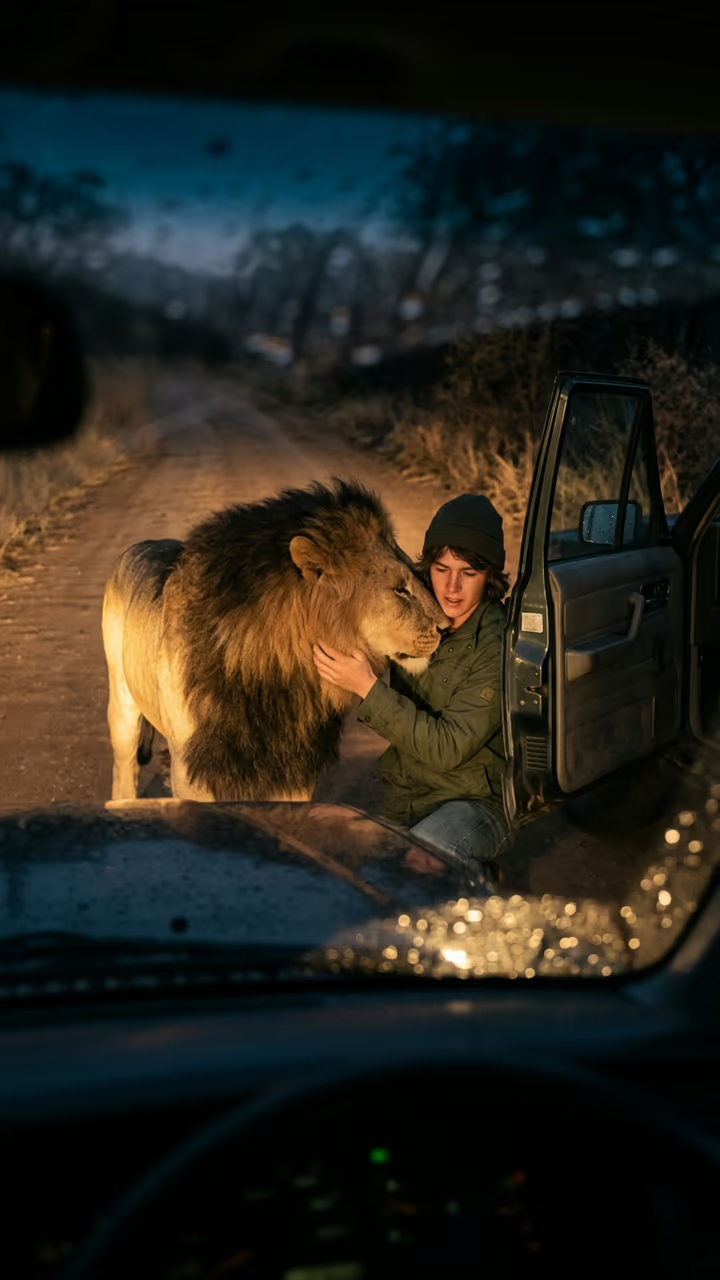
At night by your car, a big lion walks out of the dark and greets you like an old friend.

Lion Friend · switch effect

Your photo

One adult, full or half body, face clear

Cost shown before you run · failed runs are refunded

  • Ready in 1–3 min
  • No watermark
  • Failed runs refunded
  • Uploads never published

This trend on Instagram & TikTok

The most-watched videos of this trend, shown with credit and a link to each original post. Videos belong to their creators; they were not made with Soracai.

  1. 1

    @user4947097136093

    Trend video

    TikTok

    1.46M views · 79K likes · October 8

    How to make the lion-friend video

    Watch on TikTok ↗
  2. 2

    @realitychek.ai

    Trend video

    TikTok

    226K views · 2,303 likes · August 23

    A “real or AI?” version

    Watch on TikTok ↗
  3. 3

    @ten4ic

    Trend video

    Instagram

    1.2M likes · August 20

    The night-road lion greeting

    Watch on Instagram ↗

How to use the AI Lion Friend Video

  1. 01

    Upload a photo

    Your photo: One adult, full or half body, face clear.

  2. 02

    Press Generate

    The Lion Friend effect runs on its own tuned settings. It costs 140 credits, shown on the button before you run it.

  3. 03

    Download

    Your video is ready in one to three minutes. Download the MP4 without a watermark.

AI Fantasy Effects

What is the AI Lion Friend Video?

The AI lion friend template is the night-road reunion clip that took over CapCut in October 2026. Your photo becomes the first frame, seen through a car windshield: a dark, empty country road, dusty headlight beams, dry grass and a sky full of stars. You stand by the open driver's door, looking out into the dark. Then a big lion with a thick mane walks calmly into the light. You kneel and open your arms, and instead of anything scary, the lion lowers its head, rubs its mane against your shoulder like an old friend, and lies down beside you while you stroke it.

The matching CapCut template passed 3.9 million uses by mid-October, an Instagram version collected more than a million likes, and tutorials in French, Turkish and Urdu started appearing within days. The appeal is the twist: the setup looks like the start of a horror clip and ends as something warm.

On this page the clip is made in two steps: an image model builds the night-road scene with you in it, then a video model animates the lion's walk and greeting, with crickets, the idling engine and a low friendly rumble. The video is 8 seconds and has no watermark. It is a fantasy clip; please never approach a real wild animal. The trend videos on this page are credited to their original creators; the poster image is AI-generated.

Fantasy only

Lions are wild predators, and nothing in this clip is safe to try in real life. The template keeps the scene calm on purpose: no growling, no chasing, no aggression. If you post it, a short label such as "AI" in the caption avoids confusion. Never use it to make it look like a real person was in danger.

How the scene is set

The windshield framing does a lot of work. It makes the viewer feel like they are sitting in the car, and the headlights give a single strong light source, so the lion appears out of darkness and is lit the same way you are. The camera stays still for the whole clip, which keeps it feeling like dashcam footage rather than a film.

AI Lion Friend Video FAQ

How do I make the AI lion friend video?

Upload one clear photo of yourself and press Generate. The template builds the night road scene and animates the lion's greeting. It takes a few minutes.

Is it free?

Video templates use paid credits. New accounts get free credits for photo templates only. The exact cost is shown on the Generate button before you confirm.

Is this the same as the CapCut lion template?

It follows the same idea (a lion greeting you at night by a car) but is generated from your photo here, with no CapCut account or editing needed.

Does it have sound?

Yes: crickets, an idling engine and a low lion rumble. Mute it to add your own song.

Can I use it with a friend's photo?

Only with their permission, and only adults. Label it as AI when you post.

Is there a watermark?

No watermark is added to the video.

Where is my photo stored?

Uploads are stored in Firebase Storage (Google Cloud) under your account so the run can happen and the result appears in Creations. They are not public, and you can email support to request deletion. To run the effect, a copy is sent to our AI model provider (kie.ai); result files are kept for 14 days, so download what you want to keep.

More AI effects

Try the AI Lion Friend Video

Upload a photo and get your video in a couple of minutes.

Upload photo