Skip to content

AI Commercial Generator

Upload your product and logo: get a 10-second night-time ad where a drone catches people enjoying it and they slam the curtains on your logo.

Product photo

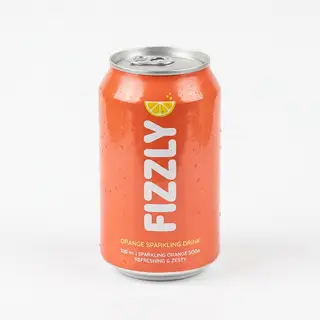
Your product on a plain background, label facing the camera

Logo or branded package

Your logo file, or a bag, box or package with the logo on it

Cost shown before you run · failed runs are refunded

  • Ready in 1–3 min
  • No watermark
  • Failed runs refunded
  • Uploads never published

This trend on Instagram & TikTok

The most-watched videos in this format: a house at night, the camera flies up to a lit window, people get caught with the product, the curtains close on the logo. Videos belong to their creators.

  1. 1

    @karina.aicontent

    Farsh (@farsh_burger)

    Instagram

    31.7M views · 1.79M likes · October 11

    The original viral burger video

    Watch on Instagram ↗
  2. 2

    @craft_bar_grill

    Craft Bar & Grill

    Instagram

    218K views · 3,353 likes · October 9

    A restaurant's ad for its own delivery

    Watch on Instagram ↗
  3. 3

    @daristie

    “Dinner at the window”

    Instagram

    51K views · 504 likes · October 12

    The video plus a prompt breakdown

    Watch on Instagram ↗
  4. 4

    @karina.aicontent

    Farsh (@farsh_burger)

    Instagram

    10K views · 69 likes · October 13

    Tutorial: how the burger video was made

    Watch on Instagram ↗
  5. 5

    @dasilbekov_

    Meat delicatessen

    TikTok

    4,665 views · 73 likes · October 13

    A mobile videographer from Kostanay

    Watch on TikTok ↗

How to use the AI Commercial Generator

  1. 01

    Upload your photos

    Product photo: Your product on a plain background, label facing the camera. Logo or branded package: Your logo file, or a bag, box or package with the logo on it.

  2. 02

    Press Generate

    The Caught at the Window Ad effect runs on its own tuned settings. It costs 150 credits, shown on the button before you run it.

  3. 03

    Download

    Your video is ready in one to three minutes. Download the MP4 without a watermark.

What is the AI Commercial Generator?

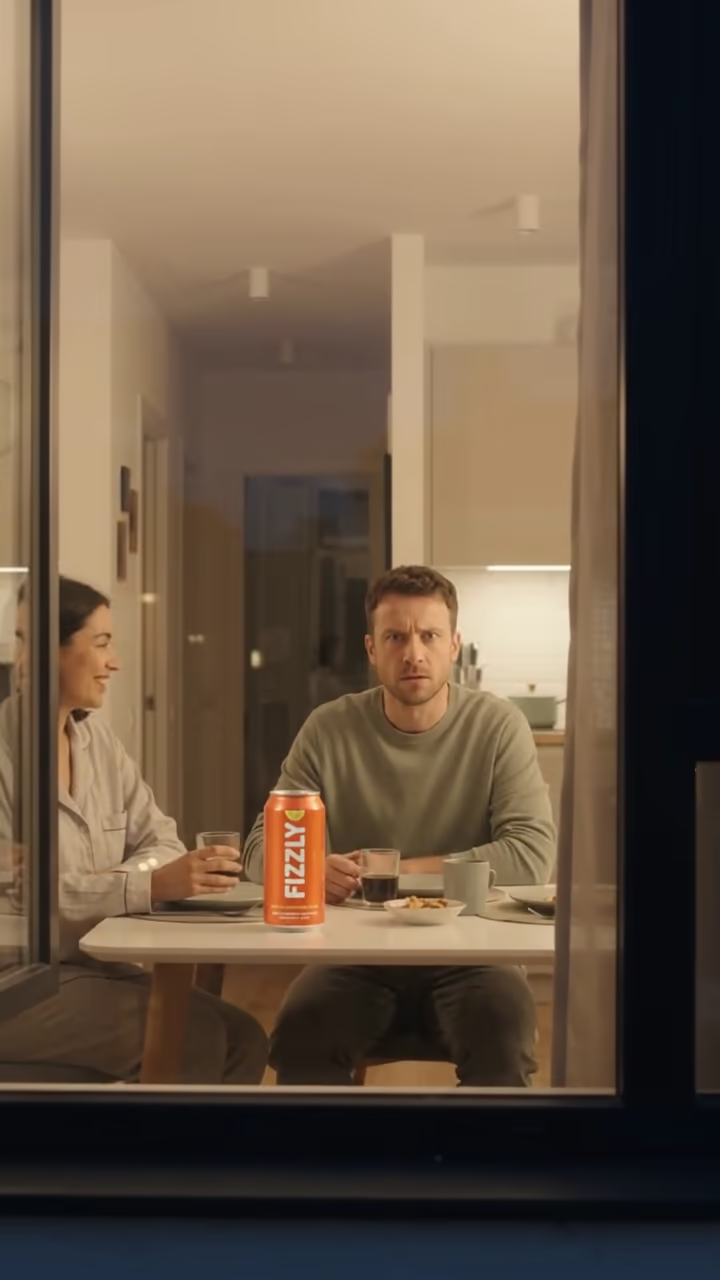
The AI commercial generator turns two uploads, a product photo and your logo or branded package, into a 10-second vertical brand commercial in the "caught at the window" style. It opens at night on the facade of a modern apartment building where only one window is lit. The camera drifts closer like a quiet drone until the window fills the frame. Inside, two people sit at a table enjoying your product, label toward the camera. Then one of them spots the camera, stares straight into the lens with an annoyed "caught you" look, gets up and pulls the curtains shut. The clip ends on your logo, large and centred on the closed curtains.

The format spread in October 2026 among Turkish- and Russian-speaking AI creators, where it is known in Turkish as the "Yakalandın" ("you're caught") trend, with spec ads for water brands, sandwich chains, pizza and sausages. It works because it feels like a stolen moment rather than an ad: viewers watch to see what the people are hiding, and the payoff is the brand.

Behind the button is Gemini Omni 1.1 Flash, the same model creators use in Google Flow for this trend. It reads both images as references, so the product keeps its shape, colours and label, and the end frame uses your logo artwork. A run takes about two minutes and comes with generated night ambience and a curtain sound. The people in the scene are AI-generated, not real actors.

How the shot is built

The whole clip is one continuous shot. It starts far away on a dark building with a single warm window, pushes in slowly until the window fills the frame, holds while two people enjoy the product, and lands on the punchline: one of them notices the camera, glares into the lens and pulls the curtains closed. The last two seconds hold on the curtains with your logo in the centre.

Because the clip opens on a wide exterior, the product is tiny in the first frames. That is why this template does not animate a single still image. Both of your uploads go to the video model as references for the whole clip, so the product is redrawn correctly once the camera is close.

Your brand, your rights

Only upload products and logos you own or have permission to use. The template is built for your own brand or for a client who asked for it. Do not use it to make an ad that looks like it comes from a brand you do not represent.

AI Commercial Generator FAQ

What do I need to upload?

Two images: a photo of the product, and your logo or a branded package such as a bag or box. The product photo drives what is on the table; the logo image drives the end frame.

How long is the video?

10 seconds, vertical 9:16, 720p, ready for Reels, TikTok and Shorts.

Is the product shown exactly like my photo?

The model keeps the shape, colours and label of your product closely, but it is generated, so small text can differ. Check the clip before you use it in a paid campaign.

Does it have sound?

Yes, generated night-city ambience and a curtain sound, with no music or speech. Most creators add a trending sound when posting.

Are the people real?

No. The people in the window are AI-generated. You do not upload any faces for this template.

How much does it cost?

Video templates use paid credits. The exact cost is shown on the Generate button before you confirm, and failed runs are refunded automatically.

Where are my images stored?

Uploads are stored in Firebase Storage (Google Cloud) under your account so the run can happen and the video appears in Creations. They are not public, and you can email support to request deletion. To run the effect, a copy is sent to our AI model provider (kie.ai); result files are kept for 14 days, so download what you want to keep.

More AI effects

Try the AI Commercial Generator

Upload two photos and get your video in a couple of minutes.

Upload photos