


Skip to content

AI Gender Swap Filter Video

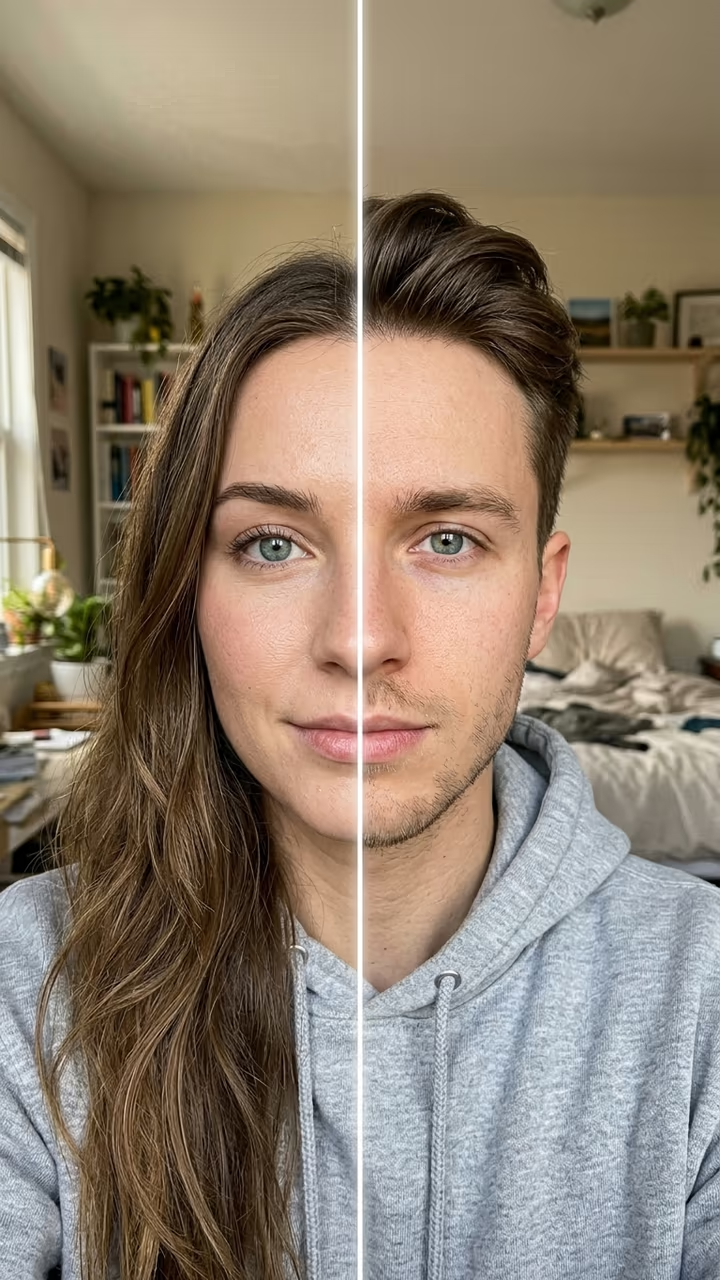
A line wipes across your selfie and reveals your opposite gender self, same eyes, same room, same hoodie: the "would you date your opposite self?" filter from one photo.

Gender Swap Filter · switch effect

Your selfie

One adult, face toward the camera, chest up, good light.

Cost shown before you run · failed runs are refunded

  • Ready in 1–3 min
  • No watermark
  • Failed runs refunded
  • Uploads never published

This trend on Instagram & TikTok

The most-watched videos of this trend, shown with credit and a link to each original post. Videos belong to their creators; they were not made with Soracai.

  1. 1

    @twinmomtales

    Trend video

    TikTok

    7.5M views · 478K likes · May 6

    The gender swap reveal that passed 7.5M views

    Watch on TikTok ↗
  2. 2

    @http.afraaisthestar.com

    Trend video

    TikTok

    6.5M views · 319K likes · January 30

    “Would you date your opposite self?” “I 100% would”

    Watch on TikTok ↗
  3. 3

    @procapcuttemplates

    Trend video

    TikTok

    6.1M views · 224K likes · January 18

    The man-to-woman wipe from the January how-to

    Watch on TikTok ↗
  4. 4

    @capcuteditz909

    Trend video

    TikTok

    601K views · 25K likes · October 19

    The October comeback of the opposite self question

    Watch on TikTok ↗

How to use the AI Gender Swap Filter Video

  1. 01

    Upload a photo

    Your selfie: One adult, face toward the camera, chest up, good light..

  2. 02

    Press Generate

    The Gender Swap Filter effect runs on its own tuned settings. It costs 140 credits, shown on the button before you run it.

  3. 03

    Download

    Your video is ready in one to three minutes. Download the MP4 without a watermark.

What is the AI Gender Swap Filter Video?

The gender swap filter shows you as the opposite gender: a line wipes across your selfie and reveals your male or female self with the same eyes, the same room and the same clothes. On TikTok it runs under one question, "would you date your opposite self?", and the answer in the caption is half the fun. Upload one selfie and this template makes your clip.

Gender swap filters have come back every year since the first face app versions, and one from April 2023 has 6.1 million views. The 2026 wave runs on AI templates: a how-to from January passed 6.1 million views, a "would you date your opposite self" clip from 30 January passed 6.5 million, and a reaction video from May passed 7.5 million. In October 2026 it came back again, with new posts passing 740,000 and 600,000 views in the week of 18 October.

The template uses your selfie as the first frame, so your room, light and clothes stay, and a video model plays the wipe, the swapped face and a short look left and right, with a whoosh and an original beat. It works both ways, woman to man and man to woman. You get an 8-second vertical clip with no watermark. The trend videos on this page are credited to their creators; the poster image is AI-generated.

Why the wipe works

The slow line across the face shows the before and after in one shot, so the swap feels like a reveal instead of a new picture. Keeping your eyes, clothes and room makes it obviously you, which is what makes people stop and answer the question.

Which photo to use

One adult, alone in the picture, face toward the camera, chest up and sharp. Glasses, piercings and hoodies stay in the clip, so pick a selfie you like.

AI Gender Swap Filter Video FAQ

How do I use the gender swap filter with AI?

Upload one selfie and press Generate. You get an 8-second clip where a line wipes across your face and shows you as the opposite gender.

Is it free?

Video templates use paid credits. New accounts get free credits for photo templates only. The exact cost is shown on the Generate button before you confirm.

Does it work from man to woman and woman to man?

Yes. The template swaps whichever way fits your photo and keeps your eyes, skin tone, clothes and background.

Is it the same as the TikTok or CapCut filter?

No. Soracai is not affiliated with TikTok, CapCut, FaceApp or the creators of the gender swap clips. The template makes its own version from your photo.

Can I use someone else's photo?

Only an adult who agreed to it. Never upload a child's photo.

Is there a watermark?

No watermark is added to the video.

Where is my photo stored?

Uploads are stored in Firebase Storage (Google Cloud) under your account so the run can happen and the result appears in Creations. They are not public, and you can email support to request deletion. To run the effect, a copy is sent to our AI model provider (kie.ai); result files are kept for 14 days, so download what you want to keep.

More AI effects

Try the AI Gender Swap Filter Video

Upload a photo and get your video in a couple of minutes.

Upload photo