Skip to content

Glove Knock AI: The Viral Boxing Glove Punch Effect From One Photo

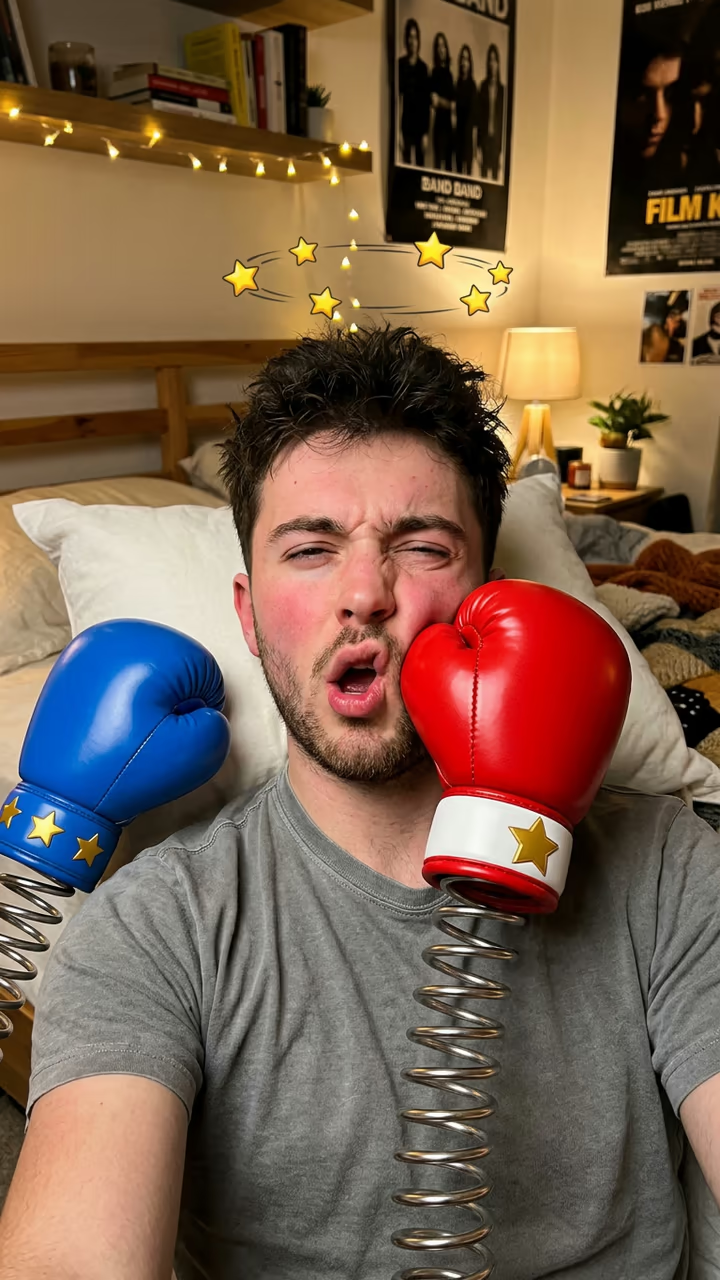
From one photo of you or your pet, two cartoon boxing gloves on springs pop up from the bottom of the frame and take turns punching your face: cheeks squish, they turn rosy red, and little stars spin above your head.

Glove Knock AI · switch effect

Your photo (or your pet)

One adult or one pet, face close and toward the camera, sharp and in good light. A selfie is perfect.

Cost shown before you run · failed runs are refunded

  • Ready in 1–3 min
  • No watermark
  • Failed runs refunded
  • Uploads never published

This trend on Instagram & TikTok

The most-watched videos of this trend, shown with credit and a link to each original post. Videos belong to their creators; they were not made with Soracai.

  1. 1

    @mangucuppppp

    Trend video

    TikTok

    30M views · 871K likes · November 20

    Taking the punches in bed: 30M

    Watch on TikTok ↗
  2. 2

    @dun.pig

    Trend video

    TikTok

    23.7M views · 470K likes · November 19

    The effect creator's own demo: 23.6M

    Watch on TikTok ↗
  3. 3

    @trashygas

    Trend video

    TikTok

    14.7M views · 1.43M likes · November 24

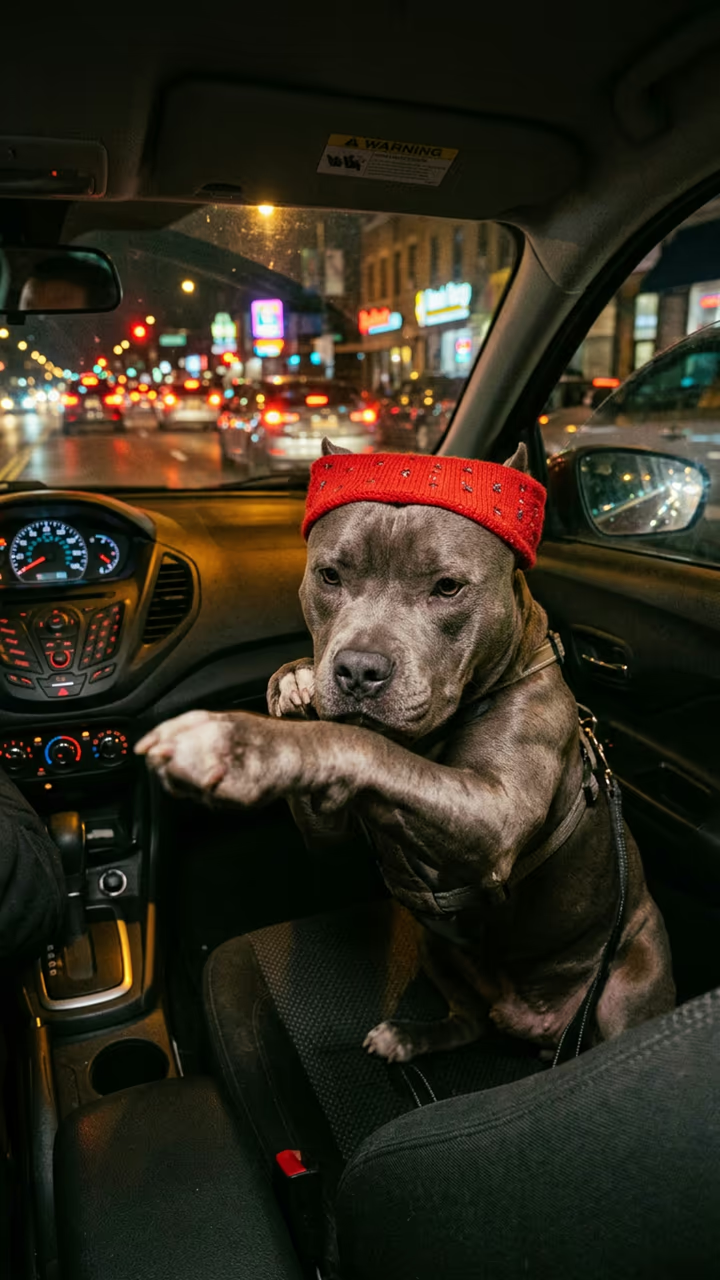
    “She wouldn't stop barking”: 14.7M

    Watch on TikTok ↗
  4. 4

    @endless_mystery

    Trend video

    TikTok

    11.6M views · 575K likes · November 20

    “Poor Patches” the cat: 11.6M

    Watch on TikTok ↗

How to use the Glove Knock AI: The Viral Boxing Glove Punch Effect From One Photo

  1. 01

    Upload a photo

    Your photo (or your pet): One adult or one pet, face close and toward the camera, sharp and in good light. A selfie is perfect..

  2. 02

    Press Generate

    The Glove Knock AI effect runs on its own tuned settings. It costs 140 credits, shown on the button before you run it.

  3. 03

    Download

    Your video is ready in one to three minutes. Download the MP4 without a watermark.

What is the Glove Knock AI: The Viral Boxing Glove Punch Effect From One Photo?

Two cartoon boxing gloves on springs pop up at the bottom of the screen and start punching. Your face squishes, your cheeks turn red, and stars spin over your head while you try to keep a straight face. That is Glove Knock, the most copied face effect on TikTok in late November 2026, and this template makes it from one photo of you or your pet.

Glove Knock started as a live camera effect by the creator DunPig (#DunpigEffect), whose own demos on 18 and 19 November passed 14 and 23 million views. On 20 November @mangucuppppp filmed himself in bed taking the punches with a deadpan face and reached 30 million views, the biggest Glove Knock post so far. Pets were the second wave: a black cat called Patches who does not even blink (11.6 million views) and a barking chihuahua who finally goes quiet (14.7 million views). By 23 November CapCut tutorials were teaching a Glove Knock AI version made from one photo instead of the live camera, and template sites added a Glove Knock page.

This template starts the video on your own photo, then animates the gloves, the squishy hits, the red cheeks and the dizzy stars for 8 seconds, with punch and spring sound effects. You do not need the live effect or a front camera: any clear selfie or pet photo works. The trend videos on this page are credited to their creators; the poster image is AI-generated.

What happens in the video

The video opens on your photo. A red and a blue cartoon boxing glove on springs pop up from the bottom of the frame and take turns punching your cheeks. Each hit squishes your face sideways like rubber and leaves your cheeks a bit pinker. At the end a ring of little yellow stars spins over your head while you sway, dazed. It is all cartoon: no injuries, no blood.

Which photo to use

One adult or one pet, face close and toward the camera, sharp and in good light. Use your own photo or one of a friend who said yes. Photos of children are not accepted.

Glove Knock AI: The Viral Boxing Glove Punch Effect From One Photo FAQ

How do I do the Glove Knock trend with AI?

Upload one clear selfie or pet photo and press Generate. You get an 8-second vertical clip in which two cartoon boxing gloves on springs punch your face, your cheeks go red and stars spin above your head.

Is it free?

Video templates use paid credits. New accounts get free credits for photo templates only. The exact cost is shown on the Generate button before you confirm.

Does it work on cats and dogs?

Yes. The pet version of Glove Knock is one of the biggest parts of the trend: your pet's face squishes with each punch and the stars spin over its head. Nothing really happens to the animal; it is a cartoon effect on a photo.

Does the video have sound?

Yes: comic punch and spring sounds and a short original drum beat. It is not the effect's original sound; you can add that in TikTok or CapCut when you post.

Where did the Glove Knock trend start?

With the live camera effect by the creator DunPig on TikTok, posted on 18 and 19 November 2026. @mangucuppppp's selfie in bed on 20 November passed 30 million views, and pet versions followed with 11 to 15 million views each.

Is this affiliated with TikTok, CapCut or DunPig?

No. Soracai is not affiliated with TikTok, CapCut, DunPig or any creator mentioned on this page. "Glove Knock" is the name of the trend, used because that is what people search for.

Is there a watermark?

No watermark is added to the video.

Where is my photo stored?

Uploads are stored in Firebase Storage (Google Cloud) under your account so the run can happen and the result appears in Creations. They are not public, and you can email support to request deletion. To run the effect, a copy is sent to our AI model provider (kie.ai); result files are kept for 14 days, so download what you want to keep.

More AI effects

Try the Glove Knock AI: The Viral Boxing Glove Punch Effect From One Photo

Upload a photo and get your video in a couple of minutes.

Upload photo